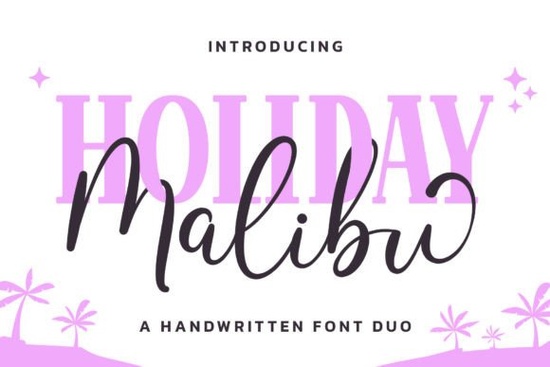
If you’re looking for a font that feels like sunshine and beach days, the Malibu Holiday Duo Font might be just what your next project needs. It’s a cheerful pair one script monoline and one serif display designed to bring a little coastal charm to invitations, kids’ products, summer branding, or even print-on-demand tees. The style is light, friendly, and easy to work with, whether you’re designing for Etsy, packaging, or social media graphics.
What makes this duo stand out is how well the two styles play together. The script has smooth, flowing lines that feel handwritten but clean not too messy, not too stiff. Pair it with the matching serif for headlines or labels, and you’ve got a balanced look that’s both playful and polished. If you’ve used fonts like Shabby or This Brother, you’ll find Malibu Holiday sits in a similar sweet spot: casual enough for craft projects, but structured enough for professional use.
How do I use all the extra glyphs and swashes?
The product description mentions it’s PUA encoded that’s short for “Private Use Area,” which basically means all the special characters, alternate letters, and decorative swashes are built right into the font file. You don’t need to dig through separate files or install extras. Just open your design software (like Illustrator, Canva, or Affinity), type as usual, and then toggle OpenType features or use the glyph panel to swap in fancier versions of letters.
For example, if you’re writing “Summer Party,” you might start with the basic script, then switch the “S” and “y” to their swash versions for a little flair. The serif companion works great for dates, locations, or subheadings try mixing uppercase and lowercase for contrast.
Is this good for small businesses or handmade shops?
Absolutely. Because it’s got that warm, approachable vibe, it fits beautifully on:
- Kids’ birthday invites or baby shower decor
- Beach-themed merchandise (totes, mugs, stickers)
- Seasonal signage for cafes or boutiques
- Social media posts promoting summer sales
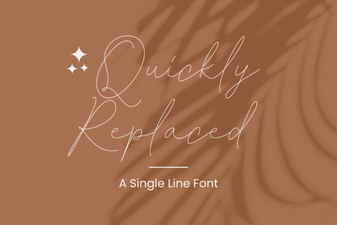
If you run a print-on-demand store, this font scales well it doesn’t get muddy at small sizes, and the clean lines hold up on fabric or vinyl. Compared to something more ornate like Quickly Replaced, Malibu Holiday stays legible even when space is tight.
What if I already have a lot of script fonts?
It’s easy to collect dozens of scripts and still feel like you’re missing “the right one.” This duo fills a specific niche: sunny, modern, kid-friendly without being childish. Think less “storybook whimsy” and more “California backyard party.” If your current collection leans vintage (Bridger Signature) or moody (Rain), this adds a bright counterpoint.
You can also stretch its use beyond summer. Try it for spring baby announcements, back-to-school planners, or even tropical wedding themes. The key is pairing it with simple layouts and plenty of white space let the font do the talking.
Any tips for pairing it with other fonts or colors?
Since the script is already quite fluid, stick to clean, minimal sans-serifs if you need a third font. Think fonts like Montserrat, Lato, or even system fonts like Arial for body text. For color, go soft: coral, seafoam, butter yellow, or sky blue. Avoid dark backgrounds unless you’re using the bold serif version the thin script can disappear on busy or dark textures.
Pro tip: When using the script for logos or headers, bump up the tracking (letter spacing) slightly. It helps prevent letters from visually crowding each other, especially in all-caps phrases.
Where can I see real examples or test it out?
Creative Fabrica usually includes preview images showing the font in action check those out before downloading. You can also search their site for mockups tagged “Malibu Holiday” to see how other designers have used it. Some users layer the script over watercolor textures or pair it with palm illustrations for instant vacation vibes.
If you’re unsure whether it fits your brand, download the free sample (if available) and drop it into a few real designs. Sometimes a font looks great in isolation but doesn’t mesh with your existing palette or tone. Better to test early than redo everything later.
Next step: Before you buy, ask yourself do I need a font that’s breezy, versatile, and family-friendly? If yes, grab the Malibu Holiday Duo Font, install both styles, and start with a simple quote or greeting card. See how it feels in your workflow. You might be surprised how often you reach for it once it’s in your toolkit.
Explore Design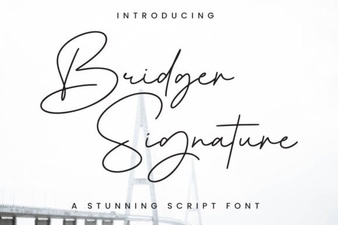 Bridger Signature Font for Elegant Design Projects
 Efficient Font Replacement for Design Projects
 Elegant Fancy Scripts for Your Creative Projects
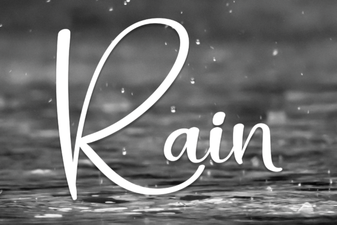 Rain Font Design: Creative Typography Ideas
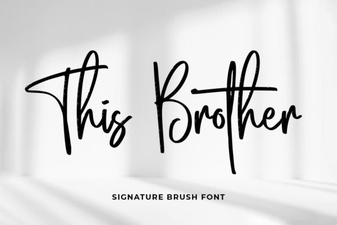 Design Projects Using This Brother Font
 Hello Andyan Duo Font for Design & Typography Projects