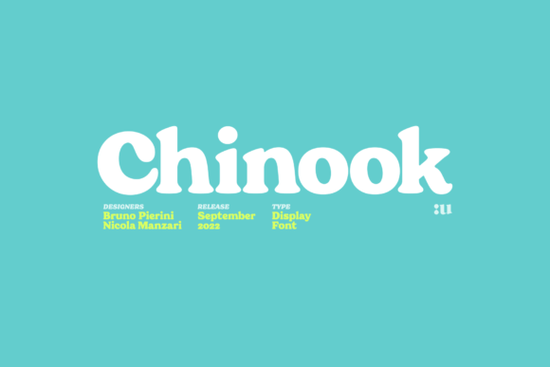
If you’ve been searching for a bold, vintage-inspired serif that doesn’t feel dated, the Chinook Font might be exactly what your next project needs. It’s got that unmistakable 70s and 80s Italian movie poster vibe chunky, rounded, and full of character but it’s built with enough modern balance to work just as well on today’s packaging, logos, or social media graphics.
What makes Chinook stand out is how it walks the line between retro charm and contemporary usability. The heavy weight grabs attention without shouting, and the soft curves keep it friendly rather than harsh. If you’re designing merch, branding for a small cafe, or even wedding invites with a twist, this font brings personality without sacrificing readability.
Who should consider using Chinook?
This isn’t a font you’ll use for body text in a novel its strength is in headlines, logos, and display settings. That said, here’s who’ll get the most from it:
- Print-on-demand sellers Think mugs, tote bags, or posters where bold typography drives sales.
- Small business owners Especially those in food, beauty, or lifestyle niches wanting a warm, memorable brand voice.
- Crafters and hobbyists If you make stickers, greeting cards, or digital scrapbook kits, Chinook adds instant vintage flair.
- Graphic designers Looking for something with Cooper Black’s soul but more refined letterforms? You’ll appreciate the subtle updates here.
How does it compare to other serifs on Creative Fabrica?
Chinook shares DNA with classics like Cooper Black, but if you’re browsing similar styles, don’t miss these:
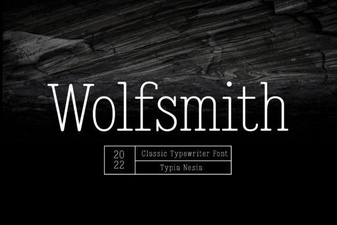
- The Wolfsmith has a sharper, almost gothic edge great if you want drama without losing legibility.
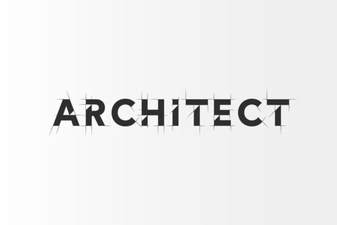
- For something cleaner and architectural, check out the Architect it’s minimal but still full of presence.
- And if you’re drawn to softer, handwritten-inspired serifs, the White Hope offers a gentler contrast to Chinook’s boldness.
All four fonts live under the serif fonts category, so if you’re building a toolkit, they complement each other surprisingly well.
What file formats and features come with it?
Like most Creative Fabrica fonts, Chinook includes standard OTF and TTF files compatible with Adobe apps, Canva, Silhouette Studio, Cricut Design Space, and more. There are no alternates or ligatures included, which keeps things simple if you’re not deep into OpenType features. What you see is what you get: one sturdy, well-crafted weight that does the job without fuss.
That simplicity is actually a strength. You’re not overwhelmed with stylistic sets or swashes just a clean, confident typeface ready to drop into your layout.
Where will it look best?
Here are some real-world uses where Chinook shines:
- Branding for bakeries, coffee shops, or vintage clothing stores the rounded serifs feel welcoming and nostalgic.
- Event posters or album covers especially if you’re going for that analog, film-grain aesthetic.
- Social media quote graphics big, bold statements that pop even at thumbnail size.
- Merchandise with attitude think band tees, skate decks, or enamel pins where the font becomes part of the product’s identity.
Any tips for pairing it with other fonts?
Because Chinook is so distinctive, pair it with something neutral and clean. A simple sans-serif like Montserrat, Lato, or even Helvetica Neue lets the headline do the talking while keeping body text easy to read. Avoid pairing it with another decorative or ultra-bold font that’s visual overload.
If you’re working in a monochrome palette, try increasing letter spacing slightly. The fluffy shapes benefit from a little breathing room.
Is it worth the price?
At Creative Fabrica’s usual pricing (often under $10, or free during promotions), yes especially if you’re building a library. It’s not trying to be everything to everyone. It knows its lane: bold, friendly, retro-modern display type. And it does that very well.
You’re paying for a focused tool, not a Swiss Army knife. If that’s what your project needs, it’s a smart buy.
Quick checklist before you download:
- Check your license Personal? Commercial? Make sure it covers your intended use.
- Test it at different sizes Does it stay legible when scaled down? (Hint: It’s meant for larger sizes.)
- Preview it in context Drop it into your mockup before finalizing. Sometimes a font looks great alone but clashes with your imagery or color scheme.
- Save a backup Always keep your font files organized. You never know when you’ll need them again.
Still unsure? Try typing your brand name or key phrase in the preview tool on the product page. Sometimes seeing it in action is all you need to decide.
Download Now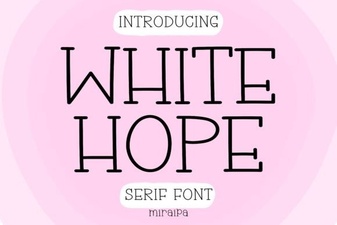 The White Hope Font: Modern Design & Creative Uses
 Architect Fonts: Design Precision in Typography
 Wolfsmith Font: Design Tips and Creative Applications
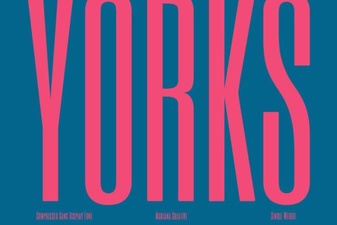 Yorks Font for Design Projects and Inspiration
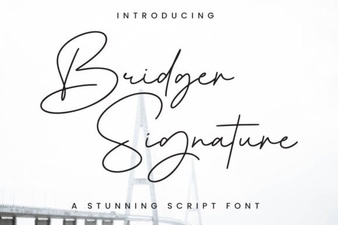 Bridger Signature Font for Elegant Design Projects
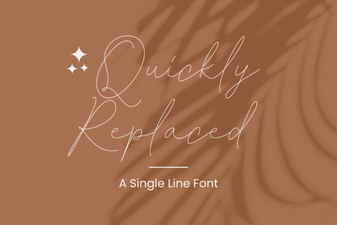 Efficient Font Replacement for Design Projects